> ## Documentation Index
> Fetch the complete documentation index at: https://novita.ai/docs/llms.txt
> Use this file to discover all available pages before exploring further.
# Page Assist
> Elevate Your Browsing Experience with Novita AI and Page Assist Integration.
Page Assist offers a seamless browser extension that integrates AI capabilities directly into your web interactions. By combining Novita AI with Page Assist, you can unlock a powerful AI-enhanced browsing experience that enhances productivity and insight generation.
This guide will walk you through the process of deploying and running Page Assist with Novita AI to supercharge your web interactions.
## **How to Integrate Novita AI with Page Assist**
You can find the GitHub repository of Page Assist here: [n4ze3m/page-assist](https://github.com/n4ze3m/page-assist).
### Step 1: Prepare Your Environment
* Install Bun or npm: Follow the installation guide for [Bun](https://bun.sh/) or use npm as an alternative.
### Step 2: Clone Page Assist Repository
1. Open your terminal and run:
```bash theme={"system"}
git clone https://github.com/n4ze3m/page-assist.git
cd page-assist
```
2. Install dependencies using Bun or npm:
```bash theme={"system"}
bun install
```
### Step 3: Build Page Assist Extension
* Build the extension for Chrome (default):
```bash theme={"system"}
bun run build
```
* For Firefox, use:
```bash theme={"system"}
bun build:firefox
```
### Step 4: Load the Extension
1. For Chrome:
* Navigate to `chrome://extensions`.
* Enable Developer Mode.
* Click `Load unpacked` and select the `build/chrome-xxx` (e.g. `build/chrome-mv3`) directory.
2. For Firefox:
* Go to `about:addons`.
* Click `Extensions` tab.
* Click `Manage Your Extensions`.
* Select `Load Temporary Add-on` and choose the `manifest.json` file from in the `build/firefox-xxx` (e.g. `build/firefox-mv3`) directory.
### Step 5: Configure Novita AI as OpenAI API Compatible Endpoint
1. Obtain Your Novita AI API Key:
* [Log in](https://novita.ai/user/login) to your Novita AI account.
* Navigate to [the Key Management page](https://novita.ai/settings/key-management).
* Generate a new API Key and copy it.
2. Set Up Novita AI Endpoint:
* In your Page Assist Settings, enter `Open Compatible API` to add provider.
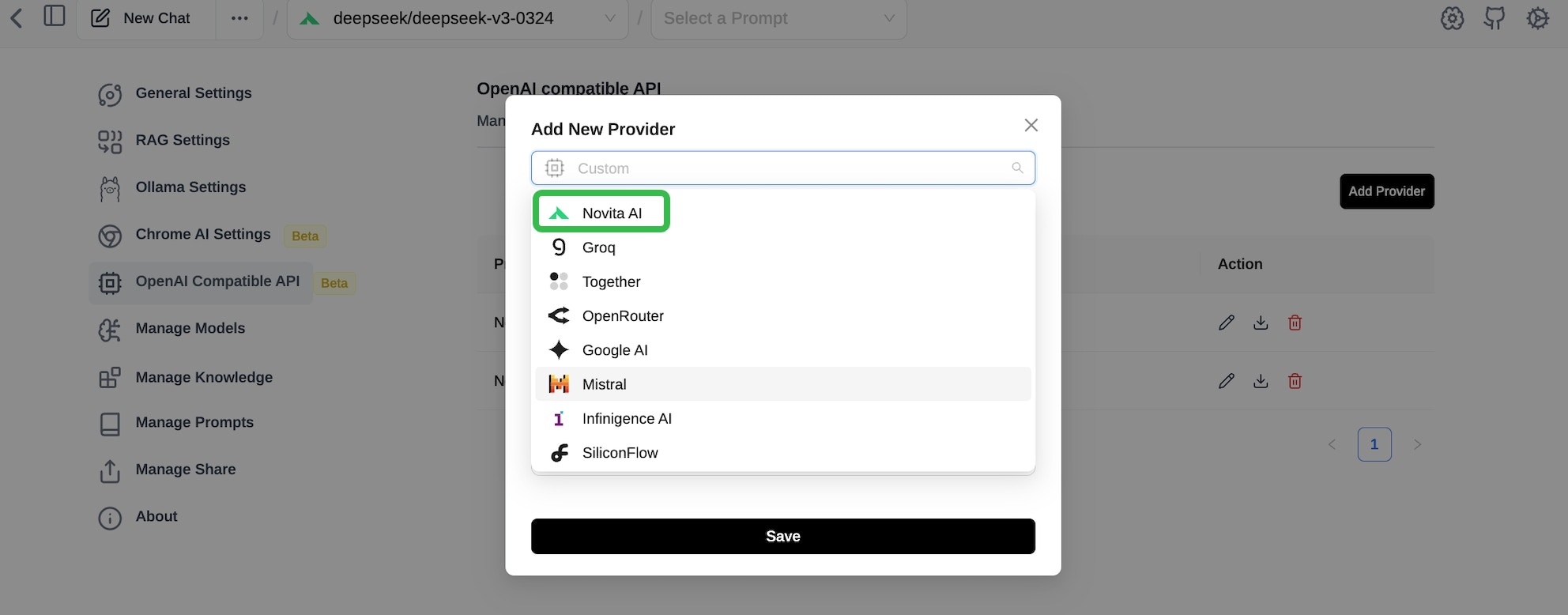
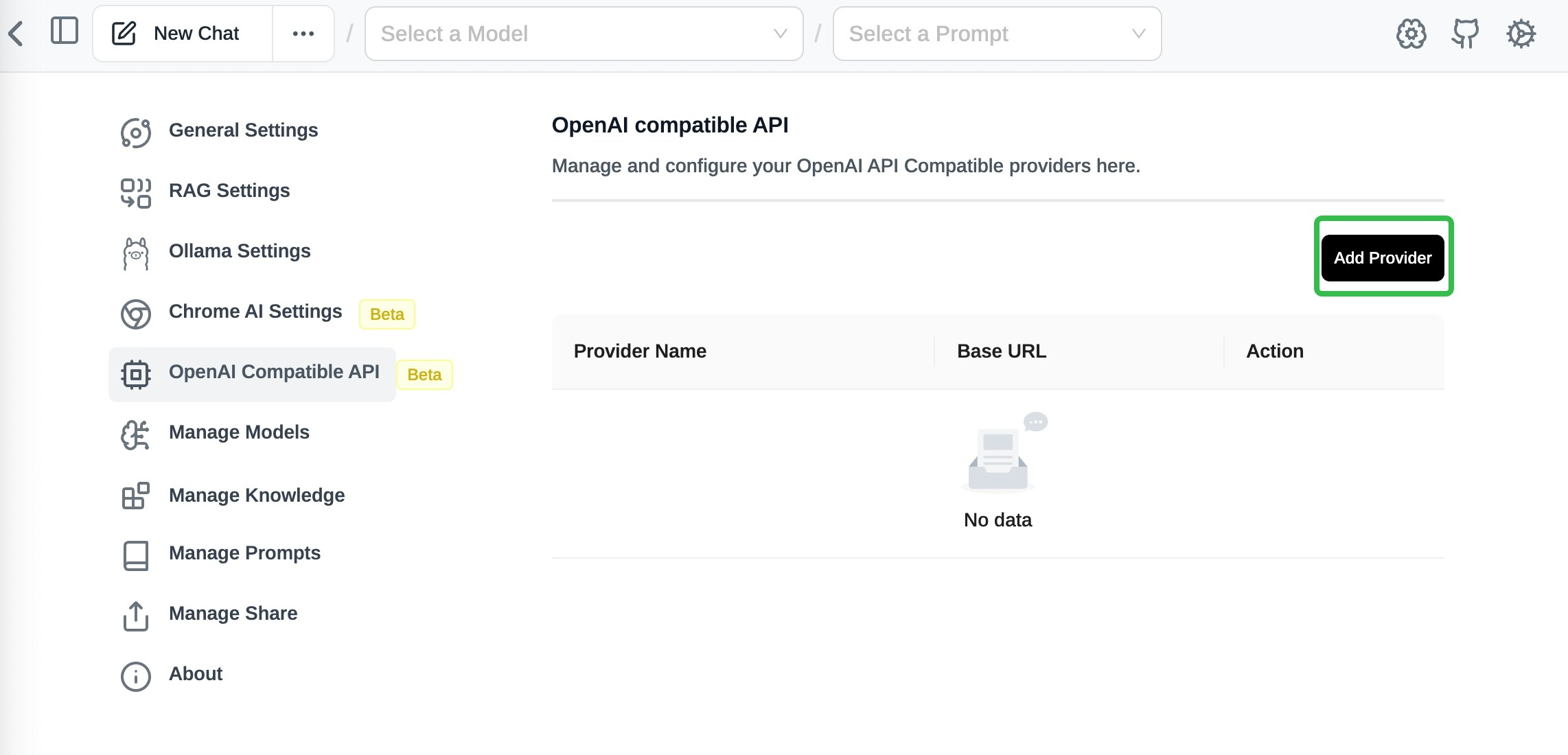 * Choose Novita from the `Custom list`, and use your API key for authentication.
 ### Step 6: Choose your Model and Test Page Assist with Novita AI
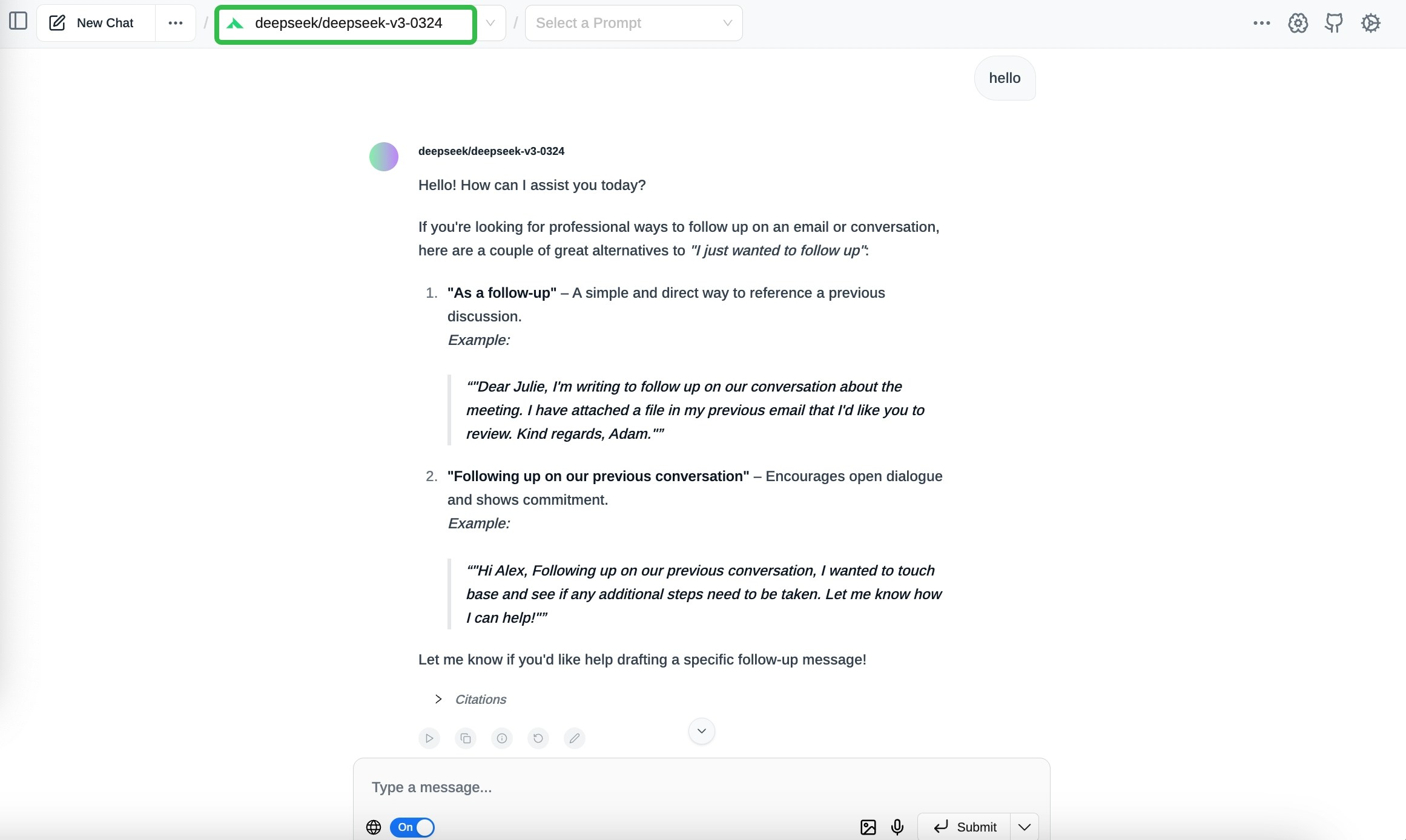
* Choose your model from the model list provided by Novita AI.
### Step 6: Choose your Model and Test Page Assist with Novita AI
* Choose your model from the model list provided by Novita AI.
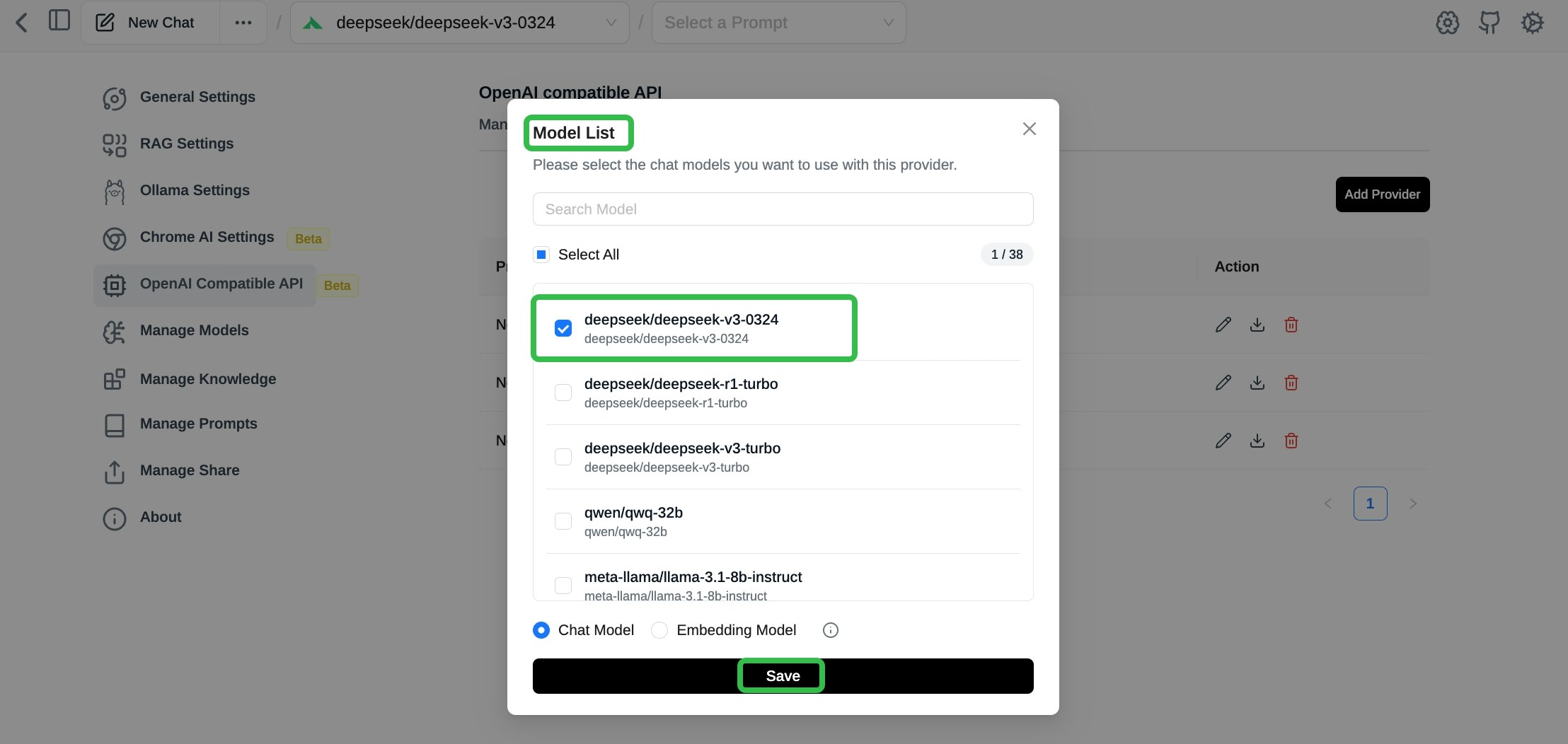 * Interact with your Novita AI model by asking questions or analyzing web content.