> ## Documentation Index
> Fetch the complete documentation index at: https://novita.ai/docs/llms.txt
> Use this file to discover all available pages before exploring further.
# LlamaIndex
> Effortlessly integrate Novita AI with LlamaIndex to build intelligent, data-powered applications.
Designed for optimal indexing and retrieval, LlamaIndex excels in delivering high efficiency for applications requiring precise and fast data access. By combining [Novita AI](https://novita.ai/) with LlamaIndex, you will unlock key benefits such as superior data retrieval accuracy, unmatched scalability, and cost-effective performance.
This guide will walk you through how to use LlamaIndex with Novita AI based on the OpenAl APl, offering smarter, scalable, and highly efficient AI solutions that drive innovation and deliver exceptional results for developers.
## **How to Integrate Novita AI API with LlamaIndex**
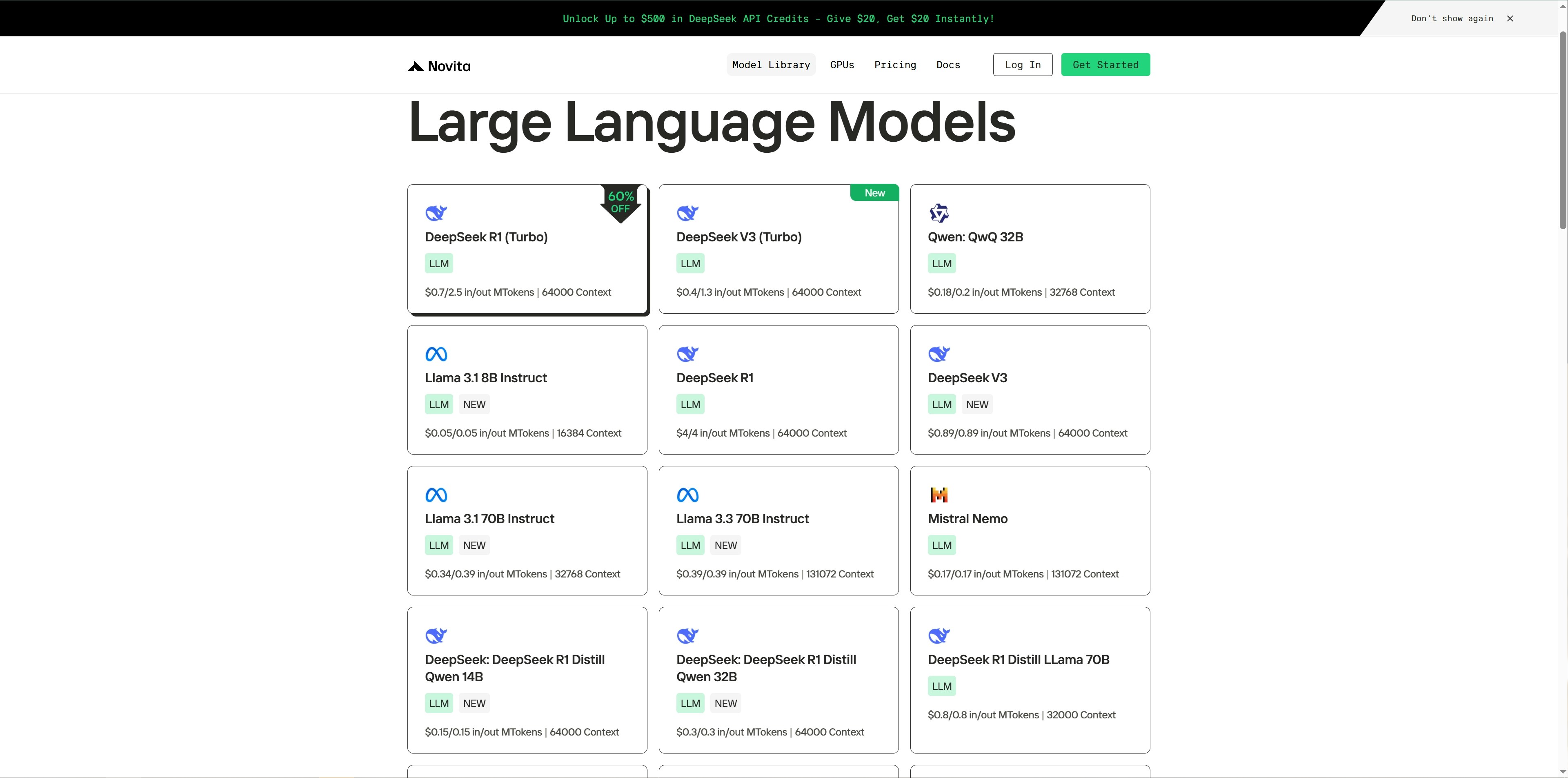
Step 1: Visit [Model Library](https://novita.ai/llm-api) on Novita AI and select a model of interest.
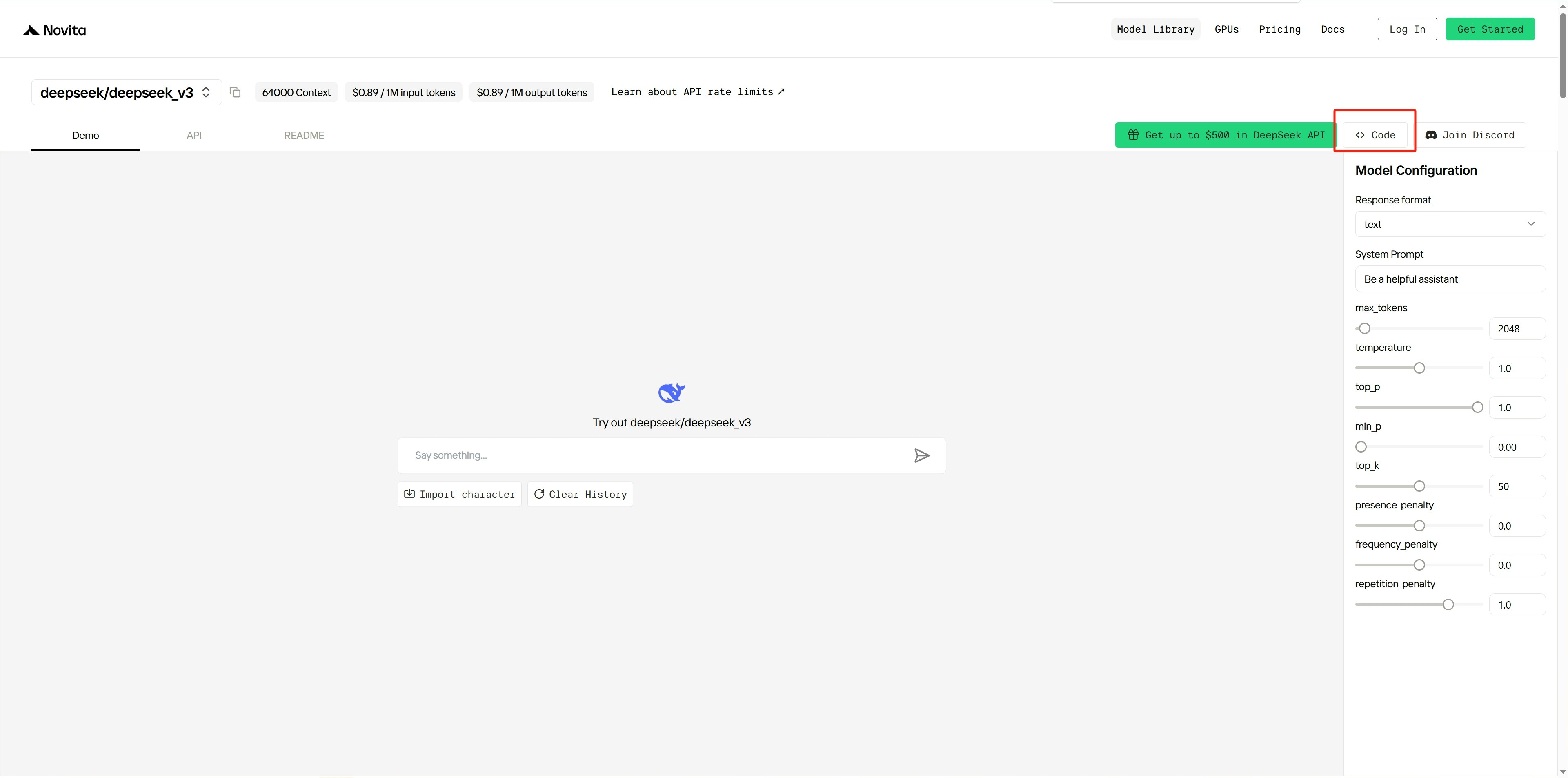
 Step 2: Navigate to the demo page of the chosen model and click the `Code` button on the right.
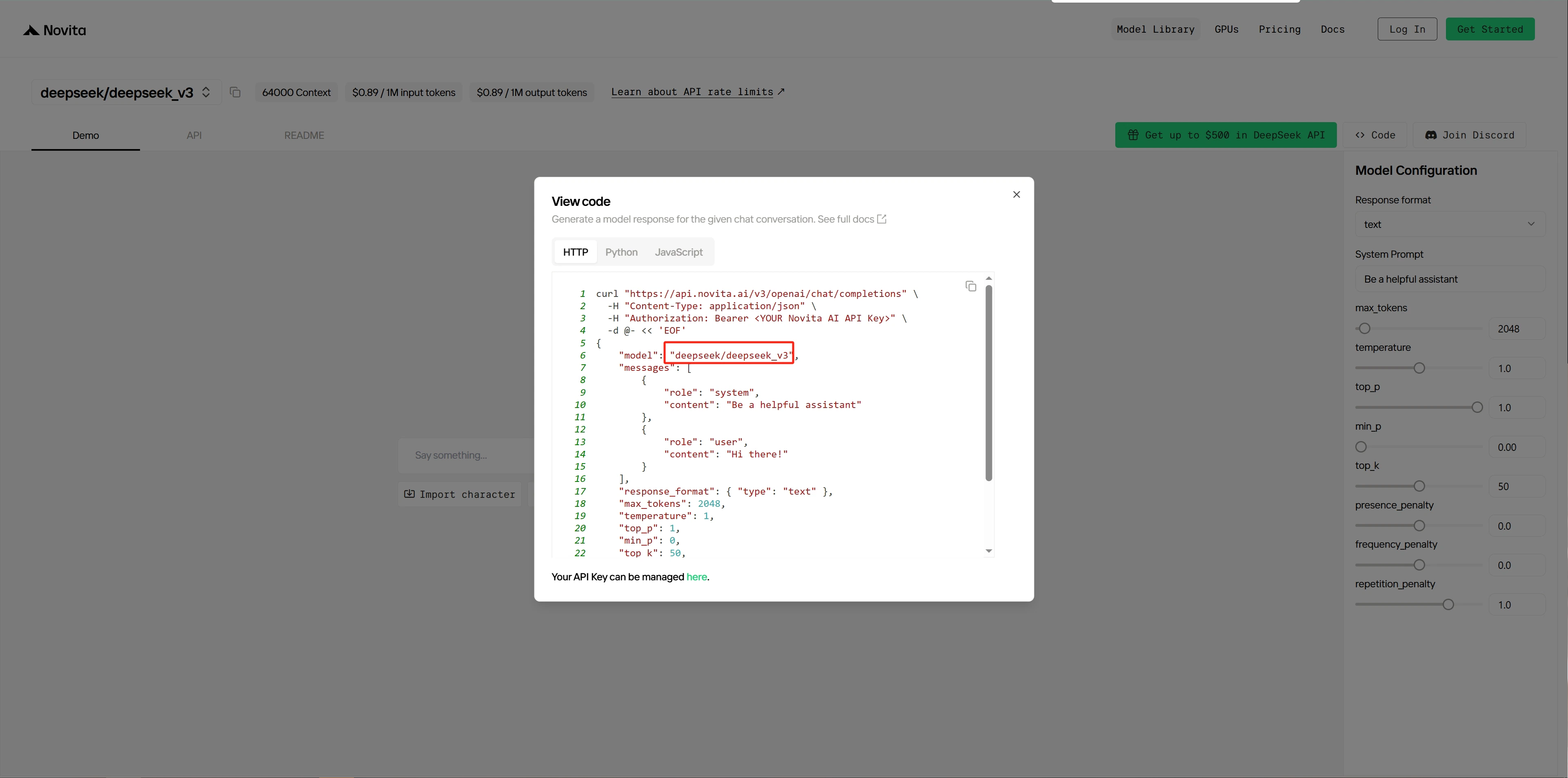
 Step 3: Copy the model’s name and make a note of it.
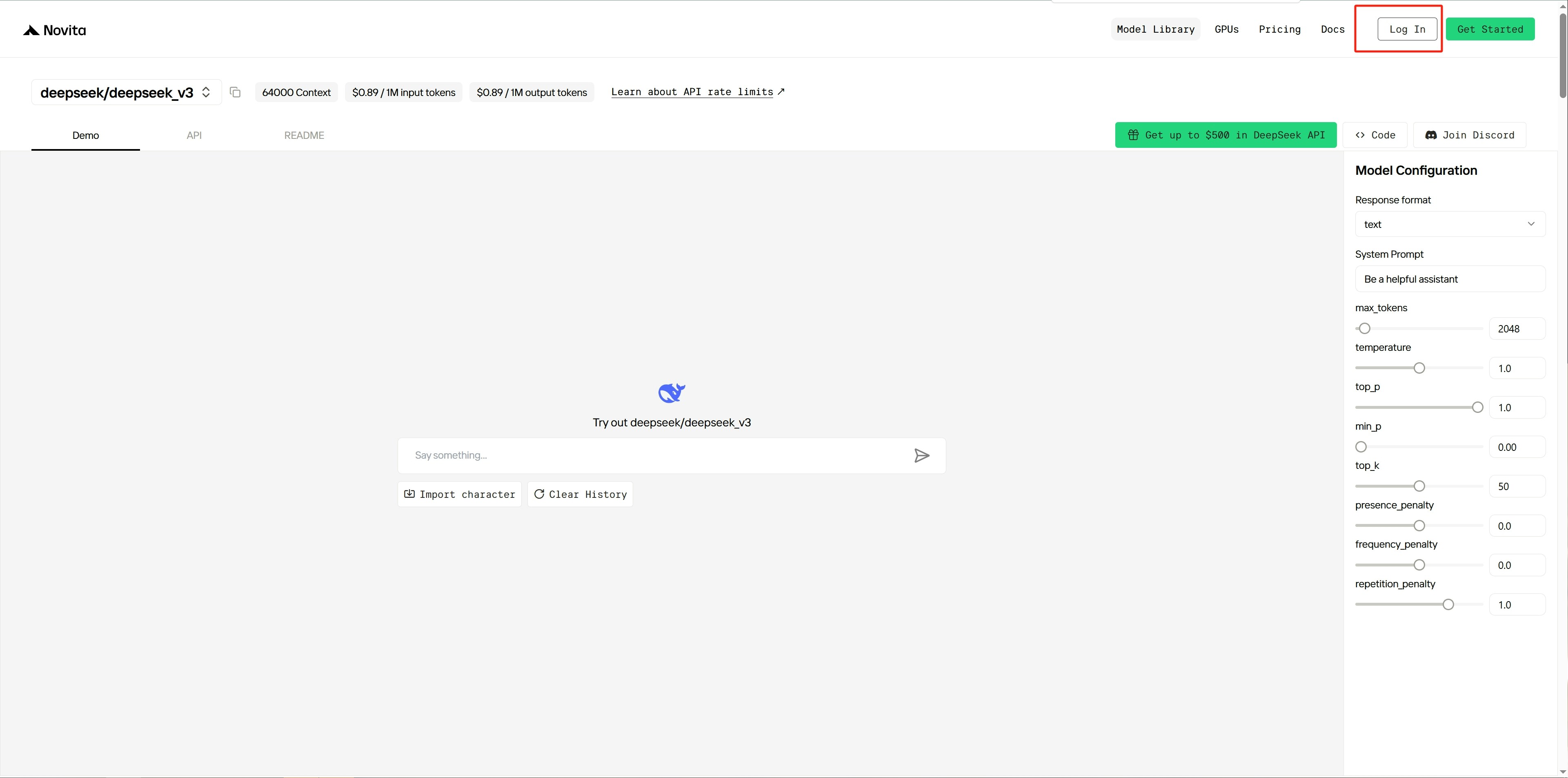
 Step 4: [Log in ](https://novita.ai/user/login)to the Novita platform.
 Step 5: After logging in, go to the platform’s [settings page](https://novita.ai/settings).
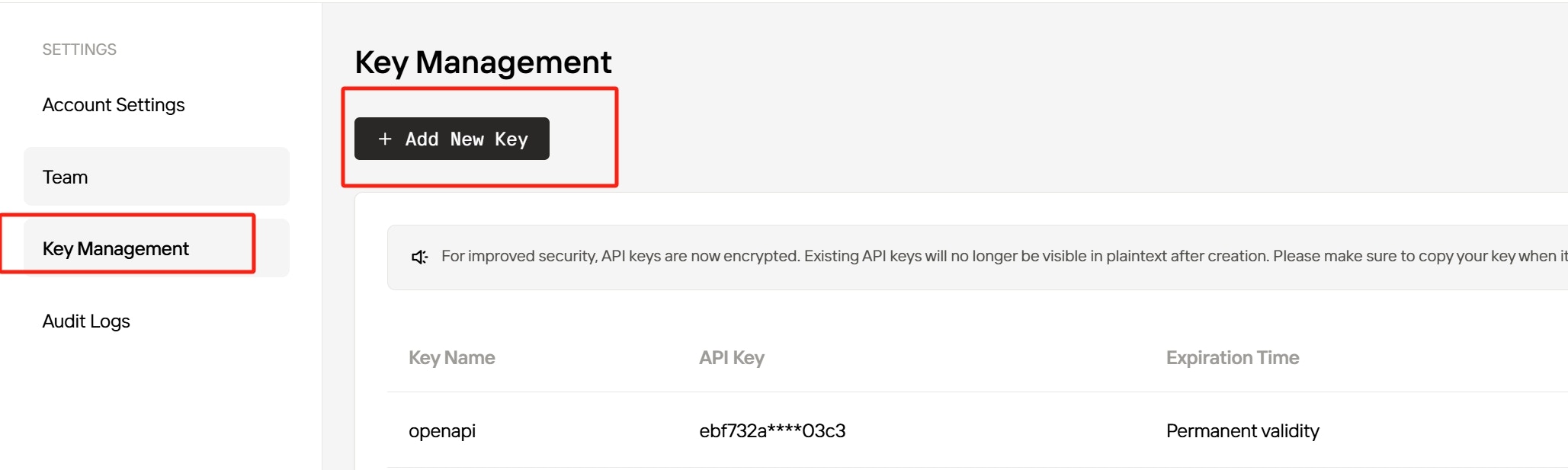
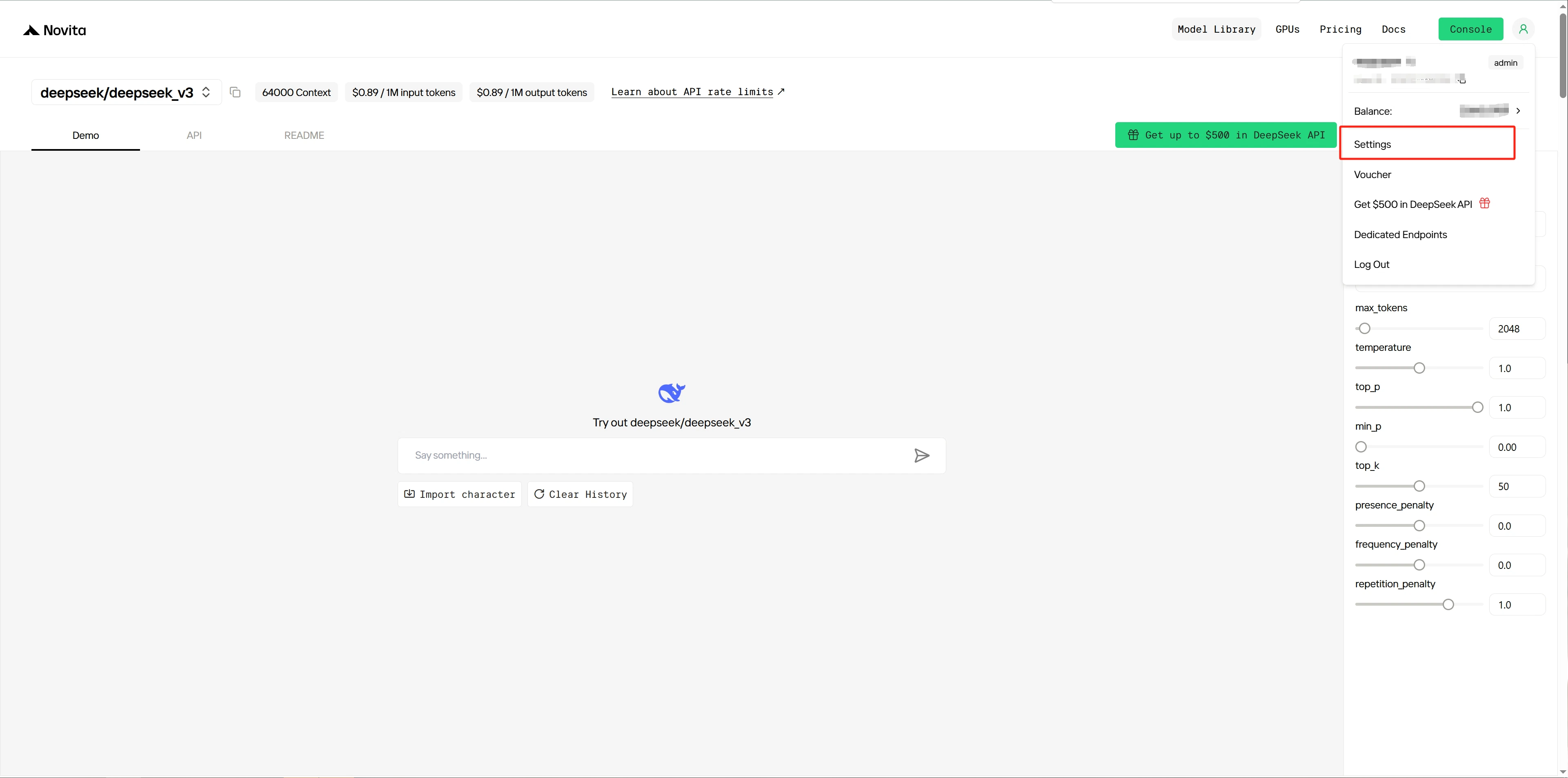 Step 6: Create a new [API key](https://novita.ai/settings/key-management) and copy it for service authentication.
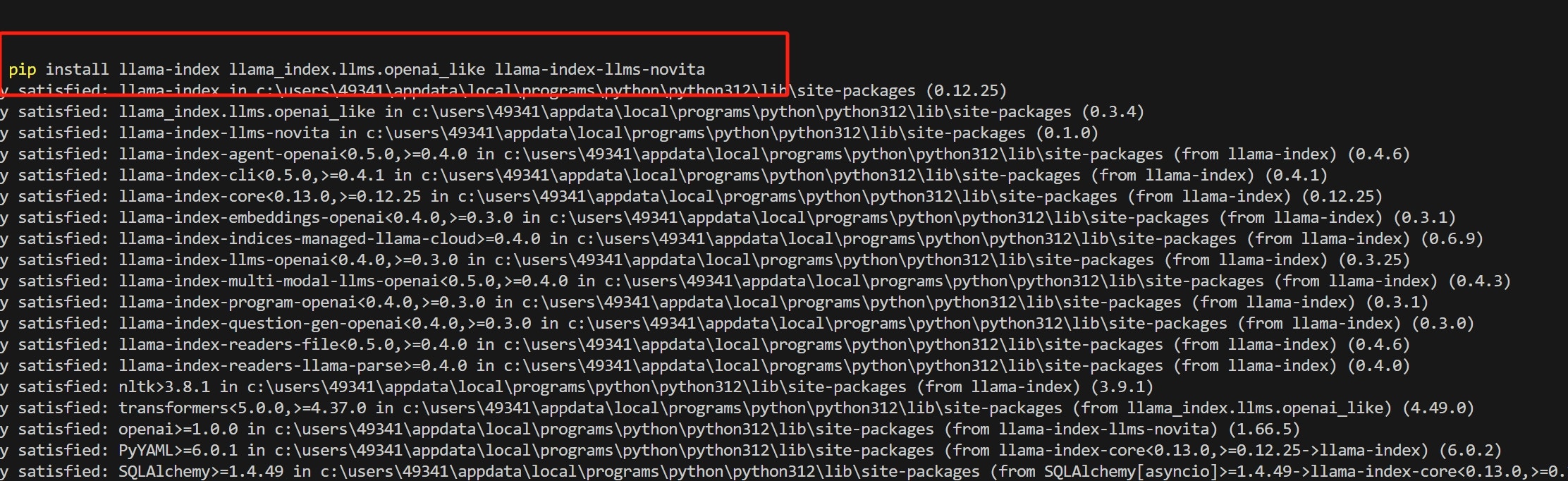
 Step 7: Install `llama_index` and related Python libraries by running:
 Step 8: Write Python code and set the model name and API key as parameters in the NovitaAI class.
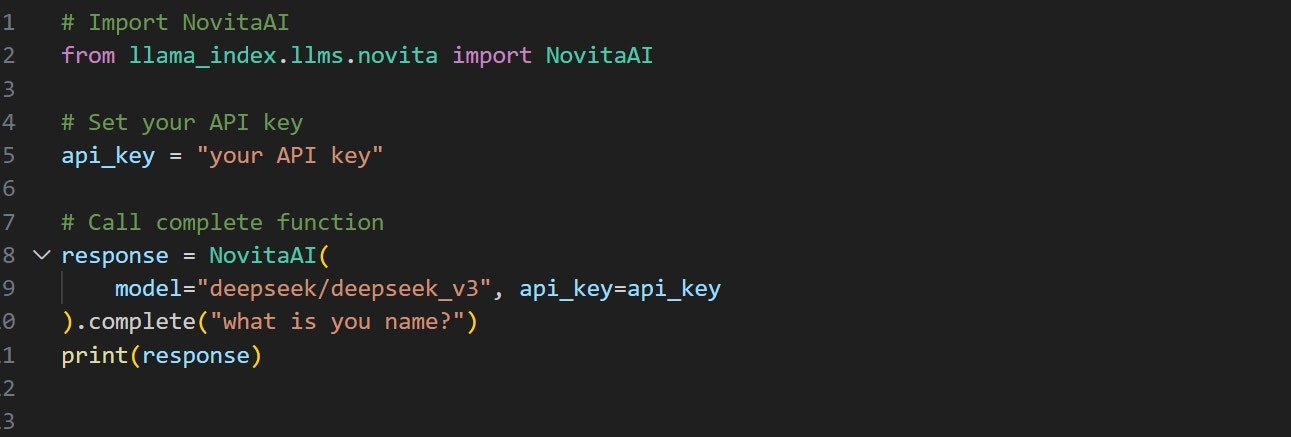 Step 9: Run the code to get the output.
 For more examples, refer to the documentation: [llama\_index/llama-index-integrations/llms/llama-index-llms-novita at main · run-llama/llama\_index](https://github.com/run-llama/llama_index/tree/main/llama-index-integrations/llms/llama-index-llms-novita).