> ## Documentation Index
> Fetch the complete documentation index at: https://novita.ai/docs/llms.txt
> Use this file to discover all available pages before exploring further.
# Langflow
> Six steps to achieve Novita AI's LLM API integration with Langflow, enabling faster application deployment and simplified workflows.
The integration of Langflow and Novita AI creates a powerful development environment that streamlines the creation of multi-agent and RAG applications. This combination leverages Langflow's intuitive visual flow builder for rapid prototyping while enabling seamless workflow design and testing capabilities. Novita AI enhances this ecosystem with its advanced Model APIs, featuring industry-leading language models including Llama, DeepSeek, and Mistral.
This step-by-step guide will help you access Novita AI LLM API on Langflow and start building AI-powered applications.
## **Accessing Novita AI LLM API on Langflow**
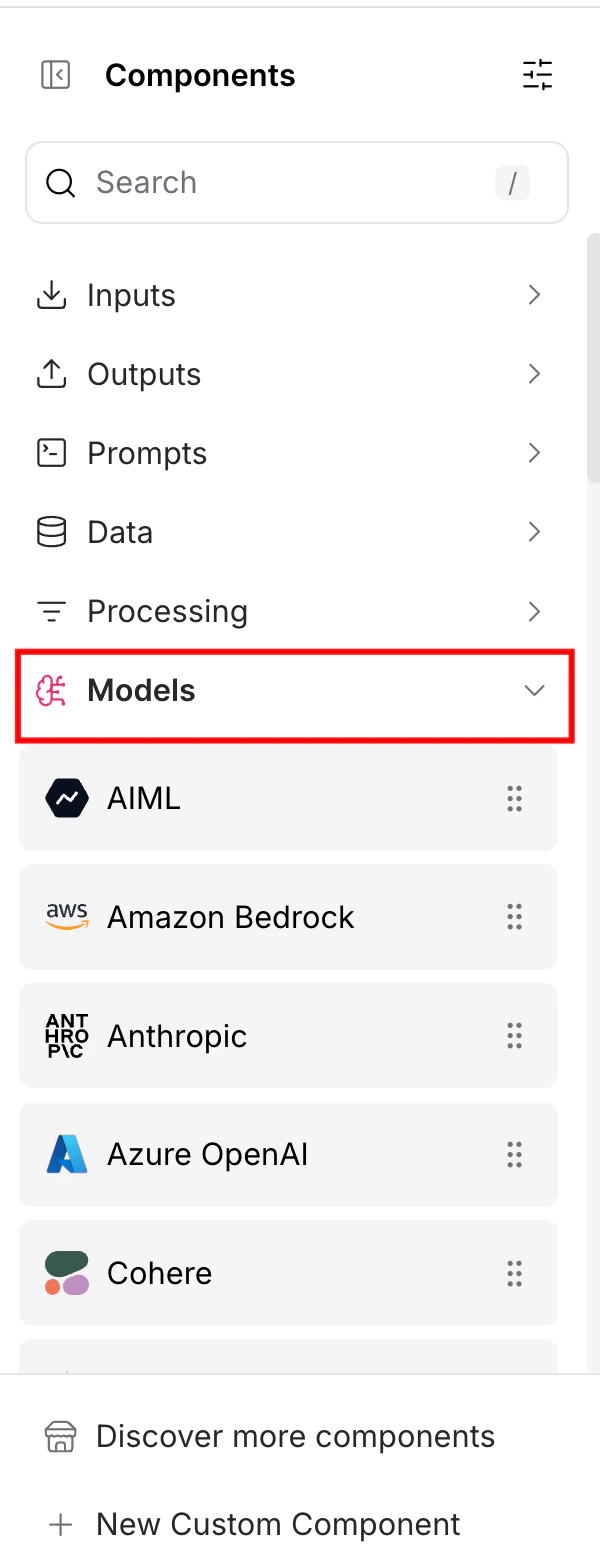
### Step 1: **Expand the "Models" Tag**
* Find and expand the "Models" section on Langflow’s sidebar.
 ### **Step 2: Drag Novita AI to Your Canvas**
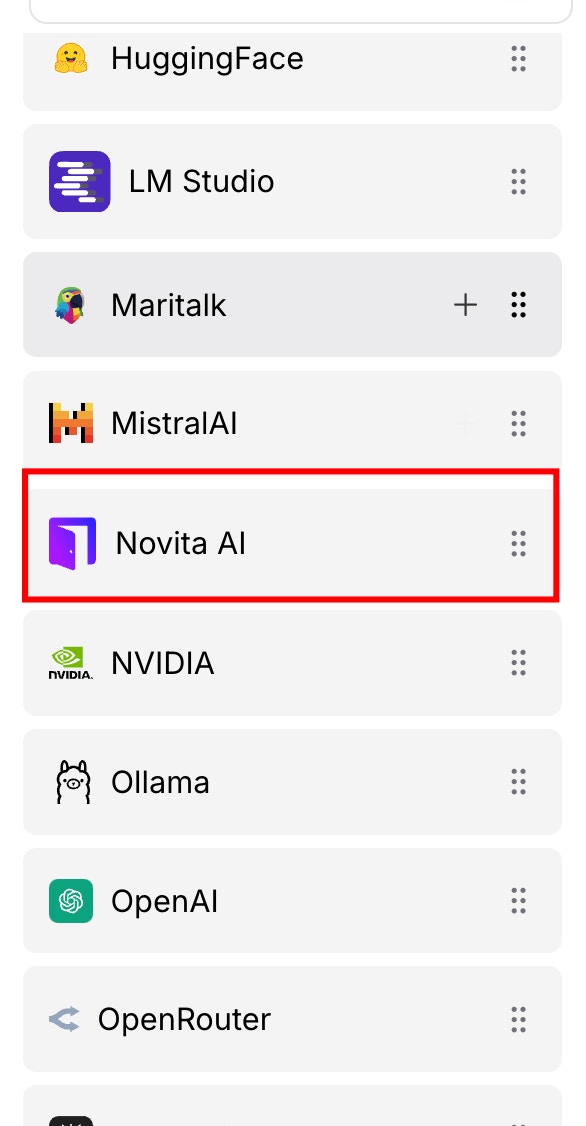
* Select and position the "Novita AI "component from the sidebar onto the Langflow canvas area.
### **Step 2: Drag Novita AI to Your Canvas**
* Select and position the "Novita AI "component from the sidebar onto the Langflow canvas area.
 ### **Step 3: Create a Global Variable for the Novita AI API Key**
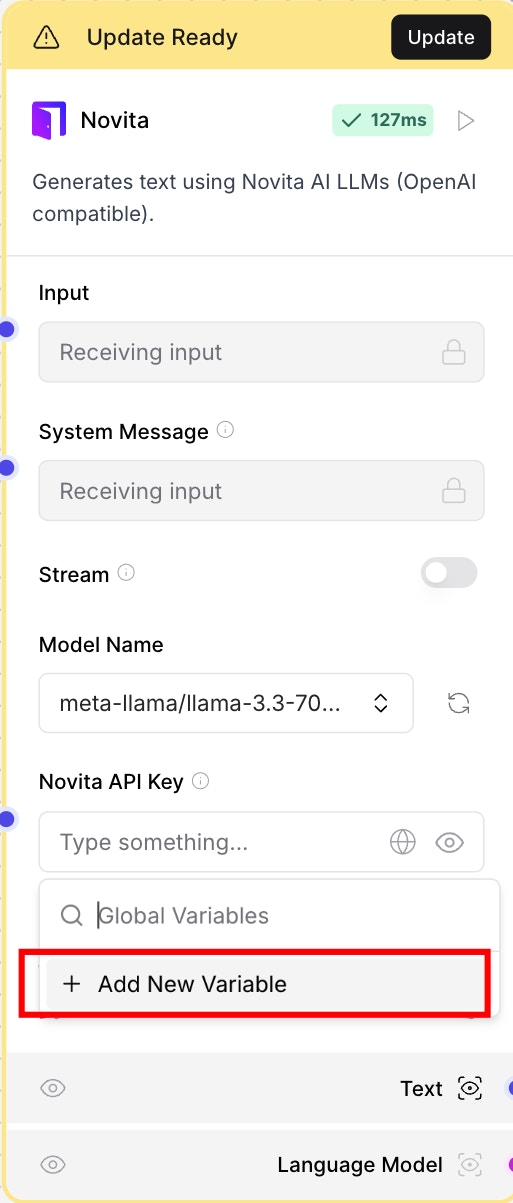
* Set up Langflow authentication instantly by adding your Novita AI API Key as a global variable.
### **Step 3: Create a Global Variable for the Novita AI API Key**
* Set up Langflow authentication instantly by adding your Novita AI API Key as a global variable.
 ### Step 4: **Get your Novita AI API Key**
* Generate Your API Keys Instantly on the [Key Management page](https://novita.ai/settings/key-management).
### Step 5: **Select a Model**
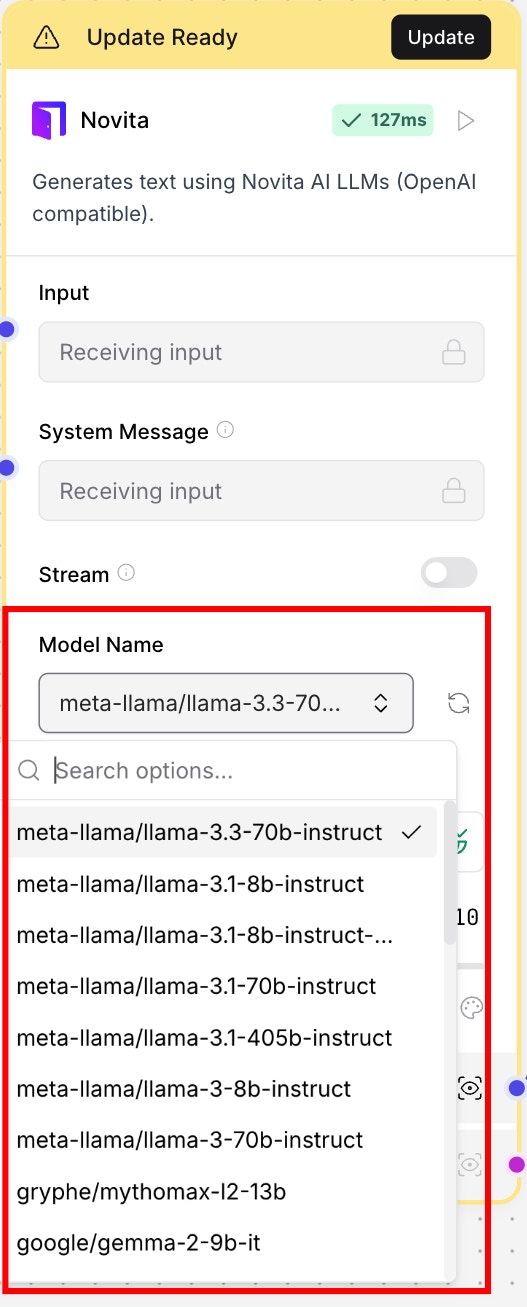
* Choose from Novita AI's powerful language models: DeepSeek, Llama, and Mistral and then select the perfect AI model for your project needs.
### Step 4: **Get your Novita AI API Key**
* Generate Your API Keys Instantly on the [Key Management page](https://novita.ai/settings/key-management).
### Step 5: **Select a Model**
* Choose from Novita AI's powerful language models: DeepSeek, Llama, and Mistral and then select the perfect AI model for your project needs.
 ### **Step 6: Start Building Your AI App**
* Create advanced AI functionality by connecting Novita AI components to your Langflow workflow system.
### **Step 6: Start Building Your AI App**
* Create advanced AI functionality by connecting Novita AI components to your Langflow workflow system.