> ## Documentation Index
> Fetch the complete documentation index at: https://novita.ai/docs/llms.txt
> Use this file to discover all available pages before exploring further.
# Hugging Face
> Get a simple guide to streamline AI deployment with Novita AI + Hugging Face.
Novita AI's integration with Hugging Face Platform enables advanced serverless inference capabilities. This provides direct access to Hub model pages through optimized infrastructure, offering developers a streamlined setup experience. With full support for Hugging Face's JavaScript and Python SDKs, Novita AI simplifies model deployment and scaling without infrastructure management.
Our comprehensive guide walks you through Novita AI implementation on Hugging Face, covering both web interface and SDK integration methods.
## **Using Novita AI on Hugging Face in the Website UI**
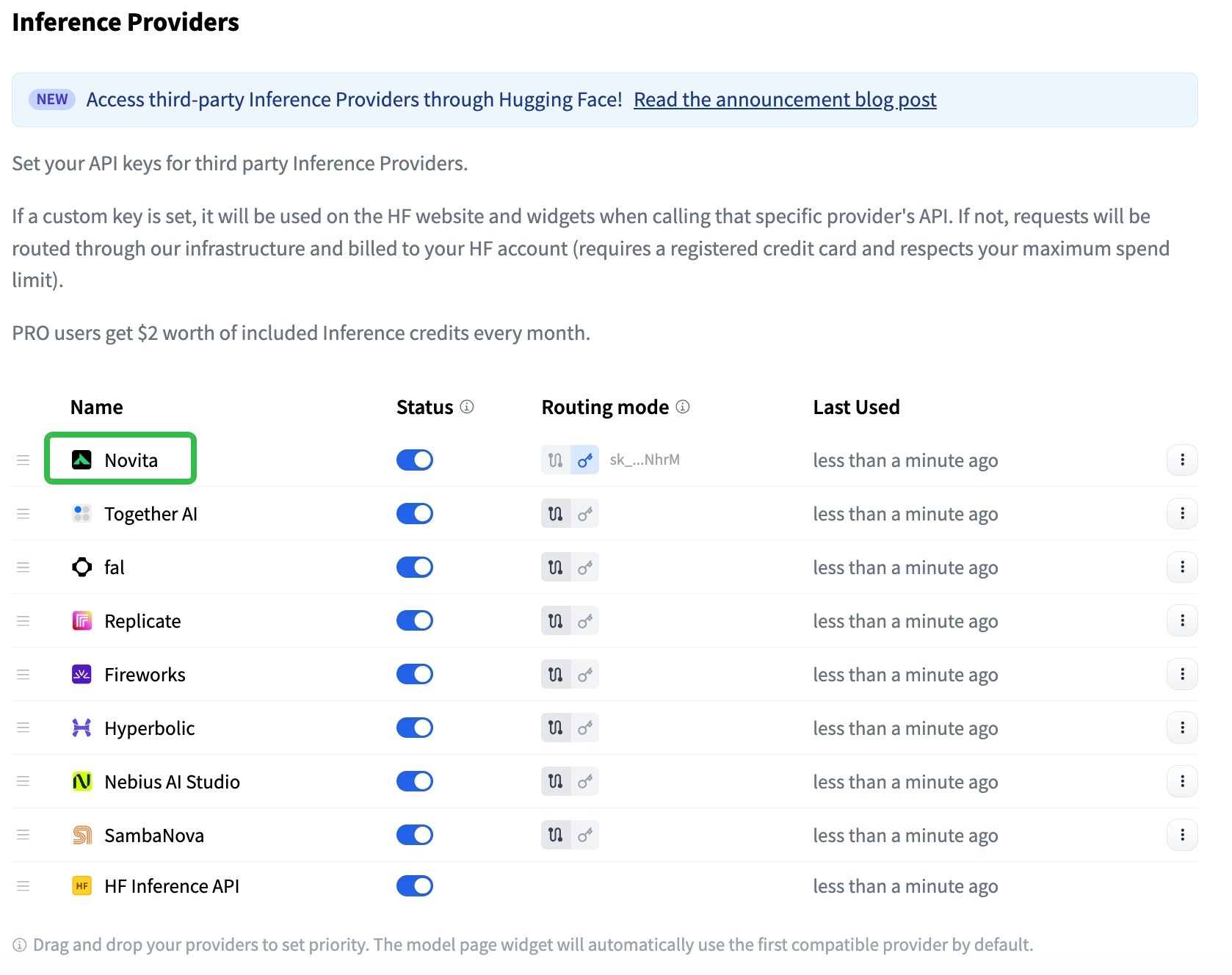
### **Step 1: Configure API Keys**
* Access your account settings dashboard to configure your API keys.
* Input your Novita AI authentication credentials into the Hugging Face platform.
 ### **Step 2: Choose Inference API Modes**
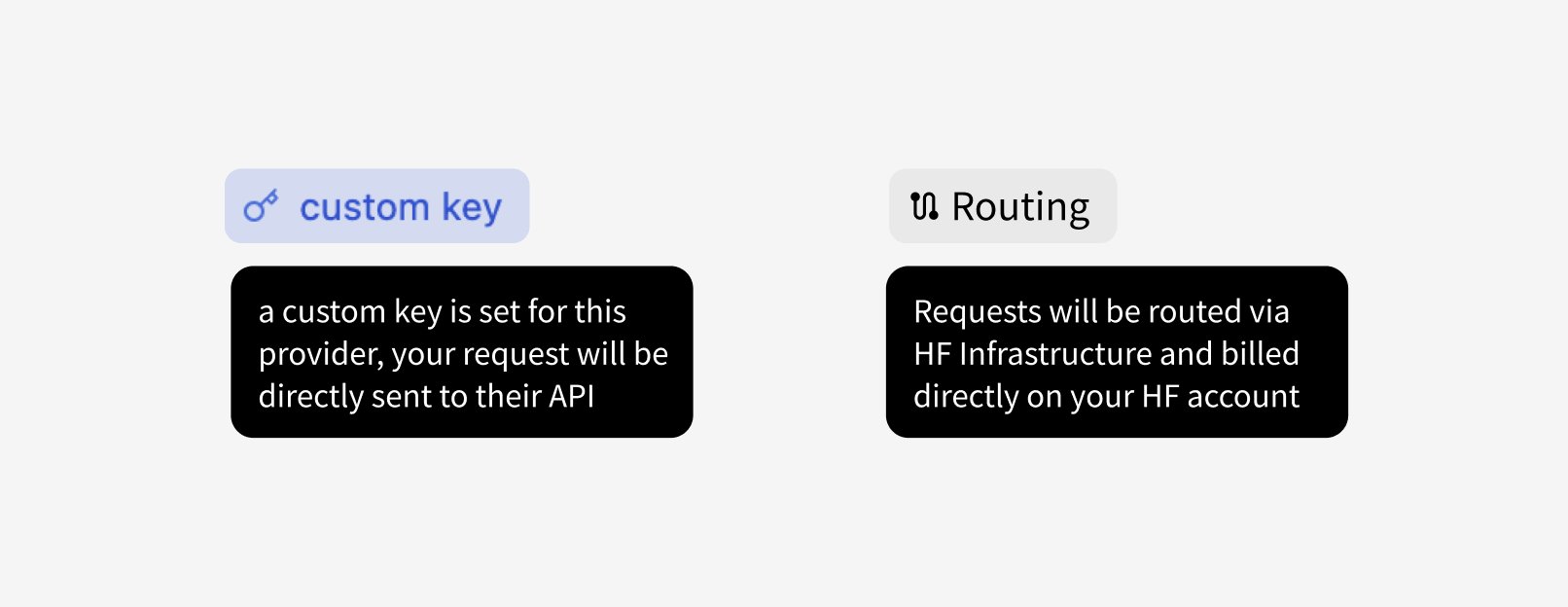
* Custom Key Mode: Calls are sent directly to the inference provider, utilizing your own API key.
* HF-Routed Mode: In this mode, no provider token is required. Charges are applied to your Hugging Face account instead of the provider's account.
### **Step 2: Choose Inference API Modes**
* Custom Key Mode: Calls are sent directly to the inference provider, utilizing your own API key.
* HF-Routed Mode: In this mode, no provider token is required. Charges are applied to your Hugging Face account instead of the provider's account.
 ### **Step 3: Explore Compatible Providers on Model Pages**
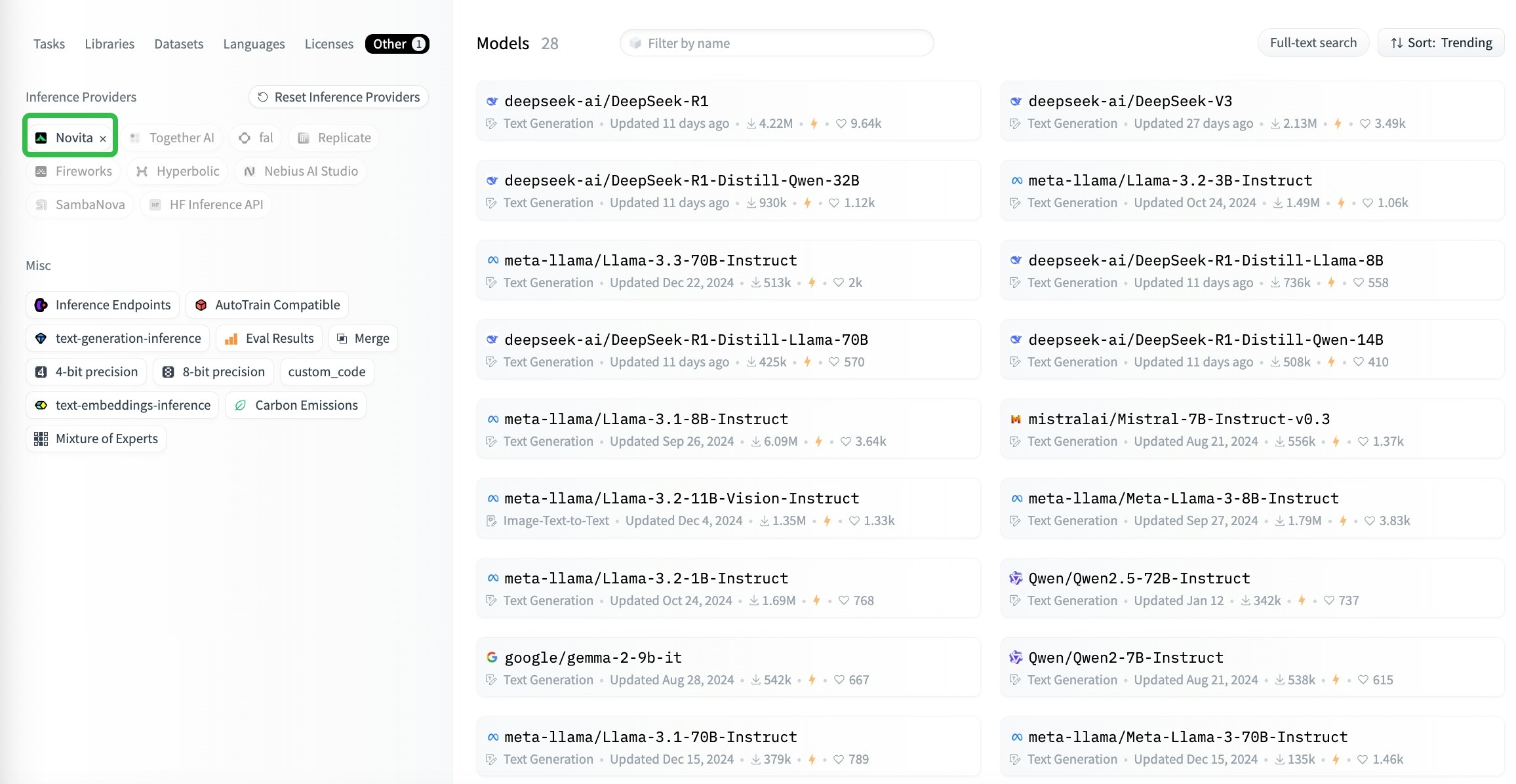
* Model pages display third-party inference providers compatible with the selected model (the ones that are compatible with the current model, sorted by user preference).
### **Step 3: Explore Compatible Providers on Model Pages**
* Model pages display third-party inference providers compatible with the selected model (the ones that are compatible with the current model, sorted by user preference).
 ## **Using Huggingface\_hub from Python by the Client SDKs**
### **Step 1: Install** [**Huggingface\_hub**](https://github.com/huggingface/huggingface_hub)
```python theme={"system"}
pip install huggingface_hub
```
### **Step 2: Call model API in Python**
```python theme={"system"}
from huggingface_hub import InferenceClient
client = InferenceClient(
provider="novita",
api_key="xxxxxxxxxxxxxxxxxxxxxxxx", # optional, required from 2nd calling, get from https://novita.ai/settings/key-management
)
# an example question
messages = [
dict(
role="user",
content='Sally (a girl) has 3 brothers. Each brother has 2 sisters. How many sisters does Sally have?',
),
]
completion = client.chat.completions.create(
model="deepseek-ai/DeepSeek-R1",
messages=messages,
max_tokens=512,
)
print(completion.choices[0].message)
```
## **Using Huggingface\_hub from JS by the Client SDKs**
```json theme={"system"}
import { HfInference } from "@huggingface/inference";
const client = new HfInference("xxxxxxxxxxxxxxxxxxxxxxxx");
const chatCompletion = await client.chatCompletion({
model: "deepseek-ai/DeepSeek-R1",
messages: [
{
role: "user",
content: "What is the capital of France?"
}
],
provider: "novita",
max_tokens: 500
});
console.log(chatCompletion.choices[0].message)
```
## **Using Huggingface\_hub from Python by the Client SDKs**
### **Step 1: Install** [**Huggingface\_hub**](https://github.com/huggingface/huggingface_hub)
```python theme={"system"}
pip install huggingface_hub
```
### **Step 2: Call model API in Python**
```python theme={"system"}
from huggingface_hub import InferenceClient
client = InferenceClient(
provider="novita",
api_key="xxxxxxxxxxxxxxxxxxxxxxxx", # optional, required from 2nd calling, get from https://novita.ai/settings/key-management
)
# an example question
messages = [
dict(
role="user",
content='Sally (a girl) has 3 brothers. Each brother has 2 sisters. How many sisters does Sally have?',
),
]
completion = client.chat.completions.create(
model="deepseek-ai/DeepSeek-R1",
messages=messages,
max_tokens=512,
)
print(completion.choices[0].message)
```
## **Using Huggingface\_hub from JS by the Client SDKs**
```json theme={"system"}
import { HfInference } from "@huggingface/inference";
const client = new HfInference("xxxxxxxxxxxxxxxxxxxxxxxx");
const chatCompletion = await client.chatCompletion({
model: "deepseek-ai/DeepSeek-R1",
messages: [
{
role: "user",
content: "What is the capital of France?"
}
],
provider: "novita",
max_tokens: 500
});
console.log(chatCompletion.choices[0].message)
```